5K5G BLOG 5K5G Blog – IPTV Tips, Tech Updates & Streaming News

Convert CCcam Line to OSCam Reader: A Comprehensive Guide. The two popular protocols in card sharing and satellite TV decryption, the CCcam and OSCam protocols, have been the leaders in their respective fields for a number of years. These protocols let the users share and access encrypted satellite TV content via smartcard emulation. But it was CCcam that stayed on top mainly due to its simplicity, whereas OSCam has recently been the preferred solution for power users and system administrators because of its adaptability, upgraded features, and constant development.
In this article, we provide a detailed guide to CCcam to OSCam reader conversion and also discuss the reasons for a change you might need. We are going to go through some real-life examples, configuration guidelines, the frequency of occurrence of troubles, and the best ways to accomplish your migration in a trouble-free, secure, and stable way.
Understanding CCcam and OSCam
What Is CCcam?
CCcam is a protocol of card sharing that is not open-source and was produced in a specific way to connect only to card servers. The fact that it was simple to use was one of the key reasons that explained its growing popularity. A regular CCcam line appears as follows:
makefile
Edit
- C: example.com 12000 user pass
- This line includes:
- Server domain/IP
- Port
- Username
- Password
These data are needed for the CCcam client to gain access to the server and decrypt the channels that are shared from the original card.
What Is OSCam?
The OSCam application is a constant source of Conditional Access Modules (CAM). It is characterized by a highly functional open-source attribute that includes, among other things, the support for protocols such as Newcamd, CCcam, and DVBAPI. OSCam is a system with a built-in planner, a completely comprehensible configuration, and is the best choice for users who possess advanced configurations.
When working with OSCam, you need the setup of several configuration files, not just the line as in the case of
- CCcam:
- oscam.conf
- oscam.server
- oscam.user
- oscam.dvbapi (optional)
Each file serves the purpose of a different aspect of the server’s operation. The set of files may come across as complicated at the beginning but it’s a matter of establishing the structure only and then the system will work efficiently as it should.
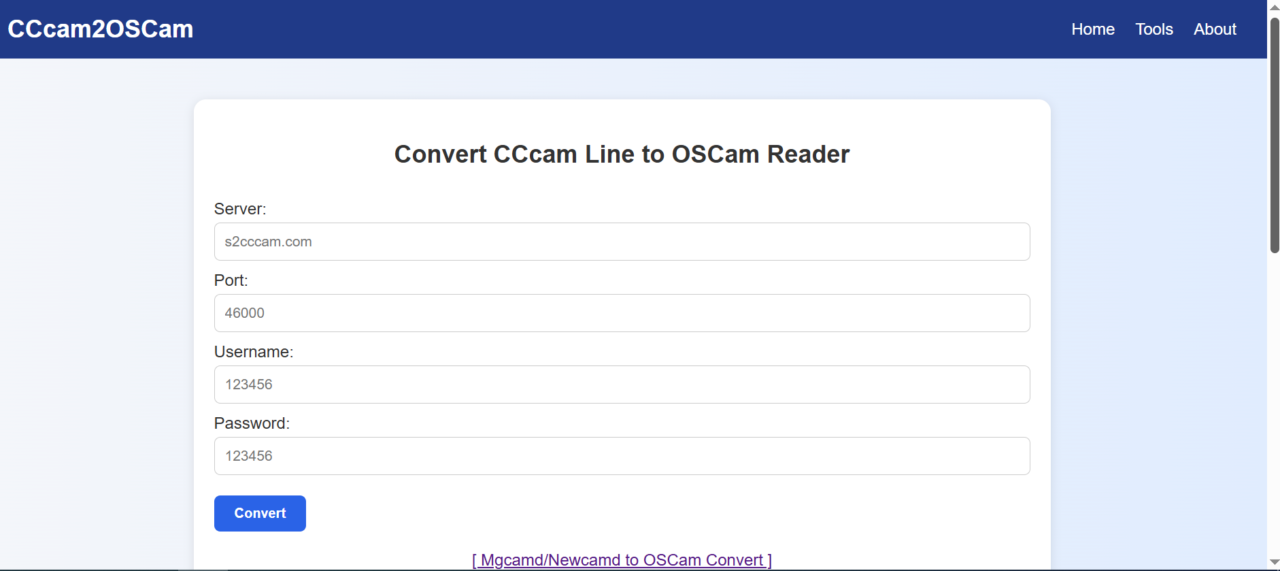
Website Link: https://www.cccam2oscam.com
Why Switch from CCcam to OSCam?
Here are some really good factors that can be the basis for your decision to transfer from CCcam to OSCam:
- OSCam includes an advanced configurability function through which you can manage readers, users, CAIDs, ECM limits, and protocols very minutely.
- Performance Monitoring: With its built-in web interface, you can monitor ECM time, connected users, active readers, and logs in real-time.
- Protocol Flexibility: OSCam can act as both server and client, supporting protocols like Newcamd, Camd35, and even CCcam natively.
- Security: You can fine-tune access permissions, IP restrictions, fail2ban integration, and log access for better security.
- Compatibility: OSCam is compatible with a wide range of devices and frontends, including Enigma2, Kodi, and Android-based set-top boxes.
- Community Support: The program has a very active group of developers and users, which makes the software still alive and evolving.
Things to Be Considered Before Changing
Before going forward with the modification of your CCcam line into an OSCam reader, make sure of the following:
- OSCam is already installed on your device (Enigma2, Linux box, etc.).
- You have access to modify OSCam configuration files through FTP, Telnet/SSH, or the built-in web interface.
- You know your CCcam line details (hostname/IP, port, user, pass).
- Your system clock is correctly set (important for authentication).
Website Link: https://bigoiptv.com/iptv-resaller-panel.php
Contact: +923096200005
Conclusion
The operation to convert the CCcam line over to an OSCam reader is the right decision for those who want to improve the satellite TV decryption setup. The way is a little bit tricky, but the after-effects concerning the control, safety, and efficiency of the system will by far outweigh it.
Even if you are a single user at home or you are administering a box at a client’s place or a server, OSCam is the perfect tool that will help you do it more quickly and accurately. When you know the procedure to change and use CCCam lines in OScam readers, you get a much more solid and adaptable system.
By going through the guide in this post, you are now armed with all the know-how and can make the switch with confidence and without any errors. Keep the decoding coming!